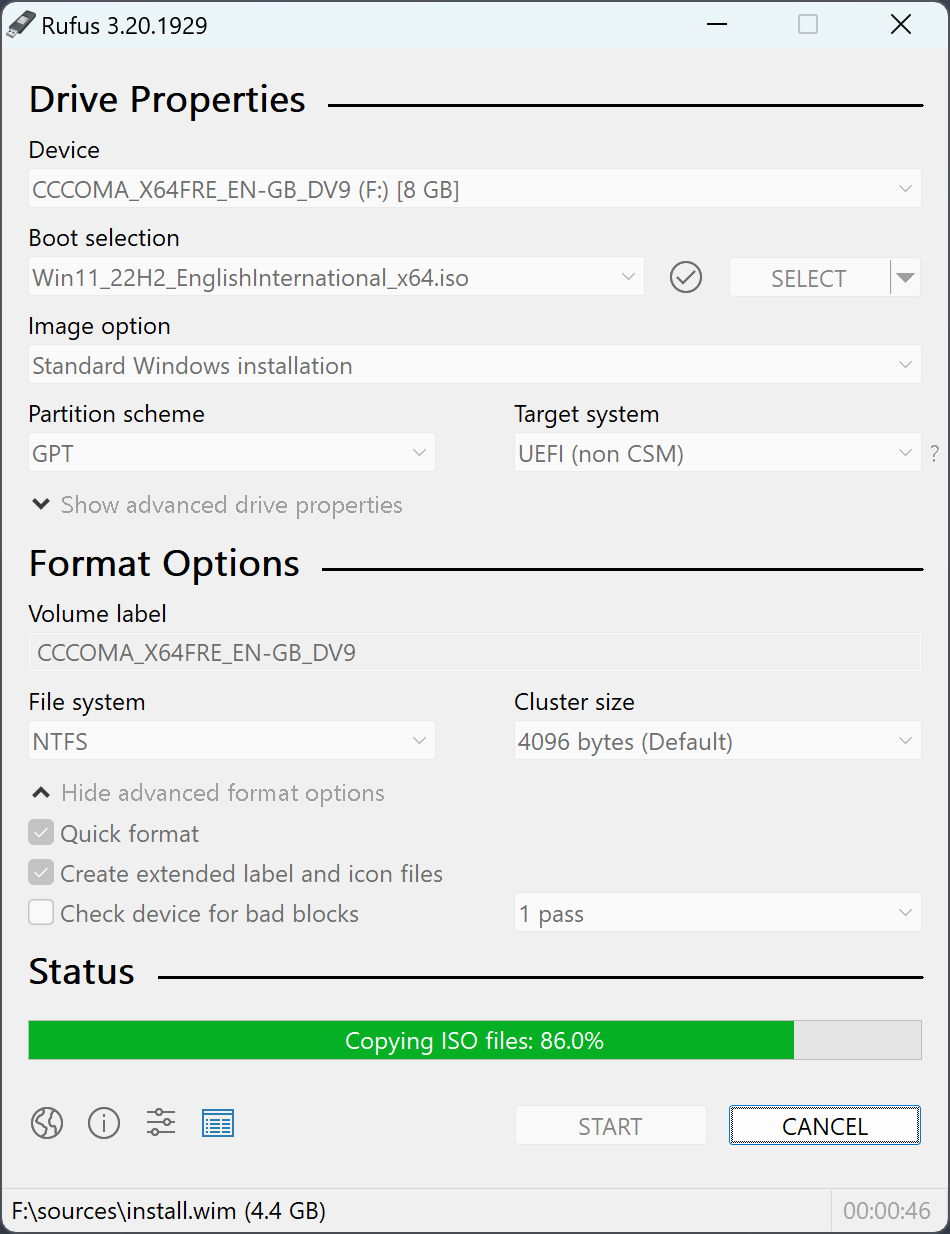
Rufus is the fastest free tool to create a bootable USB drive. 1.9 MB, signed, no installation — runs from any folder. Works with Windows 11, Windows 10, every Linux distribution and UEFI firmware tools.
✓ Signed by Akeo · ✓ 1.9 MB · ✓ Single .exe · ✓ No installer · ✓ Free forever
Rufus takes a Windows or Linux ISO and turns a USB stick into bootable installer media. It is smaller, faster and more flexible than the alternatives — 1.9 MB total, no Electron overhead, no telemetry, no installer.
The standout feature for Windows users is the Extended Windows 11 Installation option: Rufus can bypass TPM 2.0, Secure Boot, RAM and Microsoft account requirements in a single checkbox. No other free tool does this as cleanly.
All four builds come from the official GitHub release. Same codebase, different targets.
For 64-bit Windows 10 and 11. The build most people need.
Download Standard →Identical to Standard, but writes rufus.ini next to the .exe. No registry.
Native build for Surface Pro X, Snapdragon laptops, Copilot+ PCs.
Download ARM64 →For older 32-bit Windows. Skip if your system is 64-bit (most are since 2010).
Download x86 →Core use cases, from most common to specialised.
Turns a Windows 11 ISO into a bootable USB. Detects Secure Boot and GPT automatically. Offers the TPM / Secure Boot / RAM bypass dialog for older hardware.
Every major distribution — Ubuntu, Fedora, Debian, Arch, Mint, Kali, Manjaro. Persistence partition slider for Ubuntu-based live systems.
Hiren's Boot CD, Memtest86, GParted Live, BIOS update USBs, DOS recovery disks — all work out of the box with Rufus.
Rufus finishes a Windows 11 ISO in 7–9 minutes versus 12–18 minutes for BalenaEtcher and the Microsoft Media Creation Tool in our benchmarks.
From download to booting the target PC in under 20 minutes.
Download Rufus 4.13 from this site — single .exe file, 1.9 MB, no installer. Double-click to open.
16 GB recommended for Windows 11. All data on it will be erased — back up first. Rufus auto-detects the stick.
Click SELECT, pick your ISO, click START. Wait 7–15 minutes. When the bar turns green, your bootable USB is ready.
Need more detail? See the full bootable flash drive guide or the Windows 11 installation page.
Most-read guides on the site.
Step-by-step guide for creating a Windows 11 installer USB with Rufus.
Install Windows 11 on older hardware — bypass TPM, Secure Boot, RAM checks.
Which bootable USB tool to choose in 2026 — full comparison.
Convert any ISO file to a bootable drive in 6 steps.
Fix Rufus when your drive does not show up — 8 checks.
Download Rufus 4.12, 4.11, 4.10 and earlier signed builds.
Common questions before you download Rufus.
The latest stable build (Rufus 4.13, released February 17, 2026) is on this page. Click the orange Download button at the top to grab it. The file we link to is the original signed binary from the official GitHub release — we don't repackage or modify it.
No. Rufus is a portable executable. Download the .exe, double-click, the application window opens. Nothing is added to your registry, no Start menu entry, no shortcut on the desktop. Delete the file and Rufus is gone with no trace.
Both builds do the same thing. Standard saves its preferences in the Windows registry. Portable saves them in a small INI file next to the executable. Pick Portable when you carry Rufus on a USB stick between computers; pick Standard for a regular install on your own PC.
Yes. Every download link on this site points to github.com/pbatard/rufus/releases, the official source maintained by the author. The .exe is signed by Akeo Consulting; Windows SmartScreen verifies the signature before launch.
Rufus modifies USB drives at the partition level, which a few antivirus engines flag as suspicious behavior. The author publishes false-positive reports on the GitHub issues page. If you downloaded from our link or directly from GitHub, the file is clean.
The Rufus 4.x line requires Windows 8 or later. If you're still on Windows 7, use the last 3.x build from our archive — it remains fully functional for creating bootable media.
No — Rufus is Windows only. On macOS, BalenaEtcher and dd are the common alternatives. On Linux, dd or GNOME Disks cover the same basic use case. See our alternatives page for the full breakdown.