Comparison · Updated April 2026

Rufus vs Ventoy
— Which One Should You Use?

Both turn a USB stick into installer media. They approach the problem from opposite directions. Pick the right one and you save an hour of re-imaging; pick the wrong one and you fight your tooling every time you swap ISOs.

The short answer

Use Rufus when you flash one ISO to one stick and move on — Windows install, recovery disk, single-purpose Linux live drive.

Use Ventoy when you keep a dozen ISOs on one stick and want to pick the image from a boot menu every time. They are complementary, not competitors.

Most Windows users download Rufus first because that is the tool the Microsoft community recommends for Windows installer media. Tinkerers with big sticks and a bench of distros tend to graduate to Ventoy later.
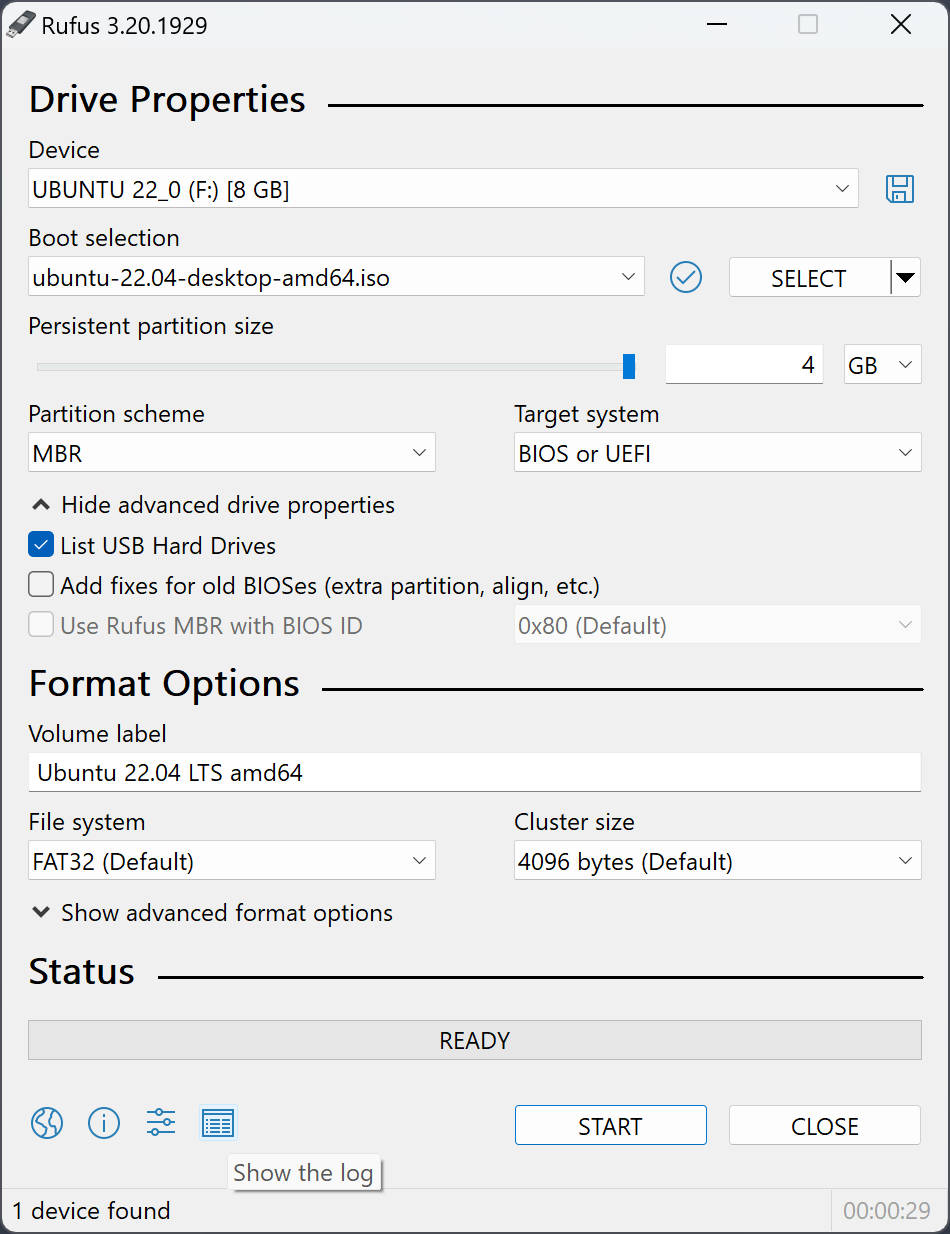
Rufus bootable USB creator interface on Windows
TL;DR recommendation:
  • ✓ Single Windows 11 install → Rufus
  • ✓ Multiple ISOs on one stick → Ventoy
  • ✓ TPM / Secure Boot bypass → Rufus
  • ✓ Fastest write speed → Rufus
  • ✓ Cross-platform tool → Ventoy

How Each One Works Under the Hood

Different design philosophy leads to different day-to-day experience.

Rufus — flash and go

Rufus takes a single ISO, reformats the USB, and writes the ISO filesystem directly onto the drive. The USB becomes a one-ISO installer. To change what's on it, you reformat and start over.

Works with: anything that ships a valid ISO — Windows 11, Fedora, Debian, Hiren's Boot CD, Memtest86.

Ventoy — a menu layer

Ventoy installs a small bootloader on the USB and leaves the rest of the drive formatted as a regular disk. You drag ISO files into the drive like regular files. At boot time, Ventoy lists every ISO it finds and lets you pick one.

Works with: mostly the same ISOs as Rufus, with occasional quirks on Secure Boot and proprietary firmware tools.

Side-by-Side Comparison

Every practical difference you need to know before picking one.

Rufus 4.13Ventoy 1.1
Install modelFlash one ISO, doneInstall once, drop many ISOs
Multi-ISO on one stickNoYes — main selling point
File size1.9 MB .exe~15 MB .zip
Installer neededNo — single portable .exeNo — extract and run
Windows 11 ISOBuilt-in TPM / Secure Boot bypassBypass via separate plugin
Write speed (5 GB ISO)7–10 min on USB 3.0~1 min install + USB copy time
Secure Boot supportNativeRequires signed shim
Persistence (Linux)Built-in for Ubuntu-basedBuilt-in for many distros via plugin
Boots on old BIOSYesYes
Boots on UEFIYesYes
Tool platformWindows onlyWindows + Linux
LicenseGPL v3GPL v3 + some proprietary bits
MaturityReleased since 2011Released since 2020
Best forOne-shot installersToolbox sticks with many ISOs

When Rufus Is the Right Call

Windows 11 on unsupported hardware

Rufus has the TPM / Secure Boot / RAM bypass built into the image preparation dialog — no plugins, no extra steps. Covered in detail on our Windows 11 without TPM guide.

Picky UEFI targets

Rufus picks GPT + FAT32 by default and produces clean UEFI media nine times out of ten. Ventoy's first boot screen sometimes confuses strict firmware.

Low-end USB stick

8 GB is enough for most installers. Ventoy shines with a bigger stick so you can keep several ISOs around.

Firmware & utility ISOs

BIOS updates, Memtest, GParted, Hiren's — everything "just works" in Rufus because the USB becomes that exact ISO.

Corporate environments

IT policy that only permits signed, well-known utilities tends to approve Rufus (since 2011) and balk at newer Ventoy.

Minimal footprint

1.9 MB on your disk, nothing in the registry if you pick the portable build. Ventoy is an order of magnitude larger.

Download Rufus 4.13 →

When Ventoy Wins

  • Toolbox stick. Ten distros on one USB, pick from a menu — much faster than re-flashing every time.
  • Distro hopping. Download a new ISO, drag to the stick, reboot. No flashing step.
  • macOS or Linux workstation. Rufus is Windows only — Ventoy has a Linux installer.
  • Big USB stick sitting idle. Filling a 128 GB drive with one Windows ISO is a waste; Ventoy turns it into a proper recovery rack.
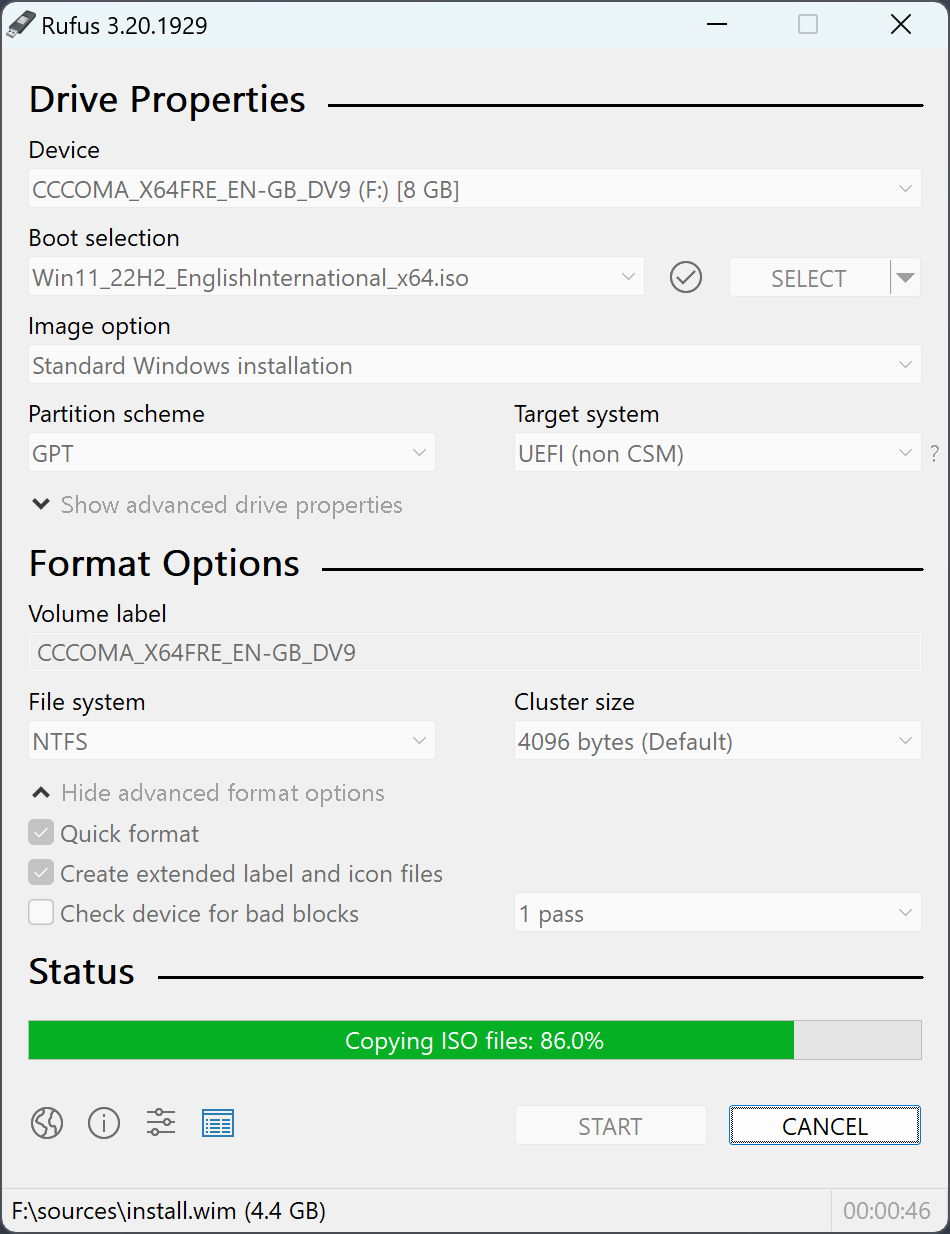
Rufus ISO selection during bootable USB creation
Common pattern in IT shops: one Rufus-flashed USB per Windows version (clean, signed, approved), plus one big Ventoy stick for Linux and recovery ISOs. Different sticks for different jobs — no conflict.

Speed & Security Notes From Real Use

⚡ Write speed

On a USB 3.1 stick, writing a 5 GB Windows 11 ISO with Rufus takes about 8 minutes. Ventoy's initial install finishes in under a minute, then copying the ISO is bound by the USB's write speed. For a single ISO total time is similar. For the second ISO onwards, Ventoy wins because you skip the re-flash.

🔒 Security profile

Rufus is signed by Akeo Consulting. Windows SmartScreen verifies the signature before launch. Ventoy has been flagged by reviewers for binary blobs on the USB that are not fully open source. Not a practical concern for desktop users, but locked-down enterprise images occasionally ban Ventoy.

🧪 Maturity

Rufus has been shipping stable releases since 2011 — fourteen years of bug hunting across every weird UEFI implementation. Ventoy is newer (2020) and still rapidly evolving; expect faster feature cycles but occasionally more rough edges.

Our Recommendation

Start with Rufus. It handles the most common case — "I need to install Windows or boot this Linux distro" — with the least friction, on the smallest footprint, with the best Windows 11 support. When you find yourself re-flashing the same stick three times a month, download Ventoy too and keep both on hand.

Rufus vs Ventoy — Common Questions

Real questions from readers comparing the two tools.

Can I dual-boot from a Ventoy stick that also has Windows?
Yes. Ventoy handles Windows 11 ISOs natively — you pick Windows from the Ventoy menu at boot and go through the normal setup. If you need the TPM bypass, you have to edit Ventoy's JSON config; Rufus handles it with a checkbox.
Does Rufus support multiple ISOs?
No. One ISO per stick is the Rufus model. For multi-ISO, use Ventoy. Many users keep one Rufus-flashed USB for the latest Windows installer and a separate Ventoy stick for Linux ISOs.
Which is better for Windows 11 with TPM bypass?
Rufus, by a significant margin. The bypass is a single checkbox in the image preparation dialog. Ventoy's bypass requires editing ventoy.json on the USB or installing the VentoyPlugson plugin.
Can I use Rufus on Linux or macOS?
No — Rufus is Windows only. On Linux, dd or GNOME Disks handle the same basic case. On macOS, balenaEtcher is the usual choice. See our alternatives page for the full list.
Is Ventoy faster than Rufus overall?
Only when writing more than one ISO. The first ISO takes about the same time. From the second ISO onward, Ventoy wins because you just copy the file instead of re-flashing.

Ready to make a bootable USB?

Rufus 4.13 is the fastest free way to do it — signed, portable, under 2 MB.

Download Rufus 4.13 →