Portable build · v4.13 · 1.9 MB

Rufus Portable Download
— Leaves No Trace on Windows

Identical to the standard Rufus build, but stores its settings in a tiny rufus.ini next to the executable — no Windows registry writes, no trace in the user profile.

When to Pick Portable Over Standard

  • You keep Rufus on a USB stick and run it on whatever machine you sit at
  • You are on a shared or guest computer and don't want anything in the user profile afterwards
  • Your IT policy forbids registry writes from non-system tools
  • You want a "leave no trace" workflow — delete the .exe and the INI file, nothing remains
  • You carry Rufus in a technician's toolkit on a bench USB
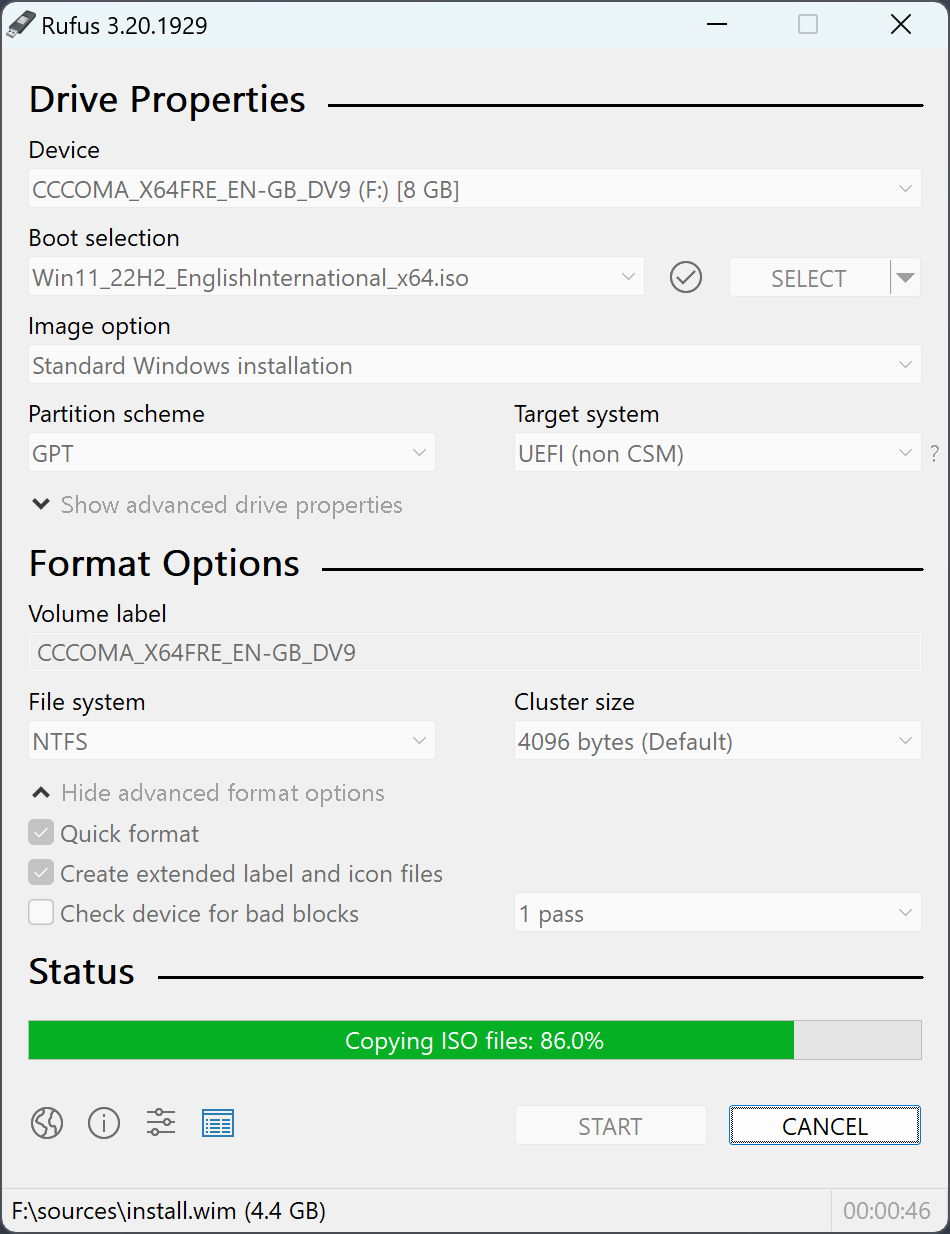
Rufus Portable download main interface bootable USB creator no installation
Portable build facts:
  • ✓ Single .exe, 1.9 MB
  • ✓ No Windows registry writes
  • ✓ Settings in rufus.ini
  • ✓ Runs on Windows 10 and 11
  • ✓ Signed by Akeo Consulting

Portable vs Standard — What Changes

Both builds share the same code. The only difference is where the program stores your preferences.

StandardPortable
File namerufus-4.13.exerufus-4.13p.exe
Settings locationWindows registryrufus.ini next to .exe
Update check settingPer-userPer-folder
FeaturesIdenticalIdentical
File size1.9 MB1.9 MB
Trace after deletionRegistry keys remainZero — nothing left

How to Use Rufus Portable

Exactly like the standard build, except where it stores the config.

1

Download and save anywhere

Click the green button above. Save rufus-4.13p.exe to a USB stick, a folder on your desktop, or wherever you need it.

2

Run it — no install

Double-click the file. Windows UAC asks for admin rights. Click Yes. Rufus opens immediately.

3

Use normally

Pick a USB, pick an ISO, click START. Same workflow as the standard build.

4

Clean up — just delete

Delete rufus-4.13p.exe and the rufus.ini file next to it. Nothing left in the registry, nothing in %AppData%.

Portable build — runs anywhere, leaves nothing

Signed, 1.9 MB, no installer, no registry. Works on every Windows 10/11 machine.

Download Rufus Portable 4.13 →